Their own chapters, a challenge waiting each morning, and somewhere to ask the question they are stuck on — without an advert or a stranger anywhere in it.
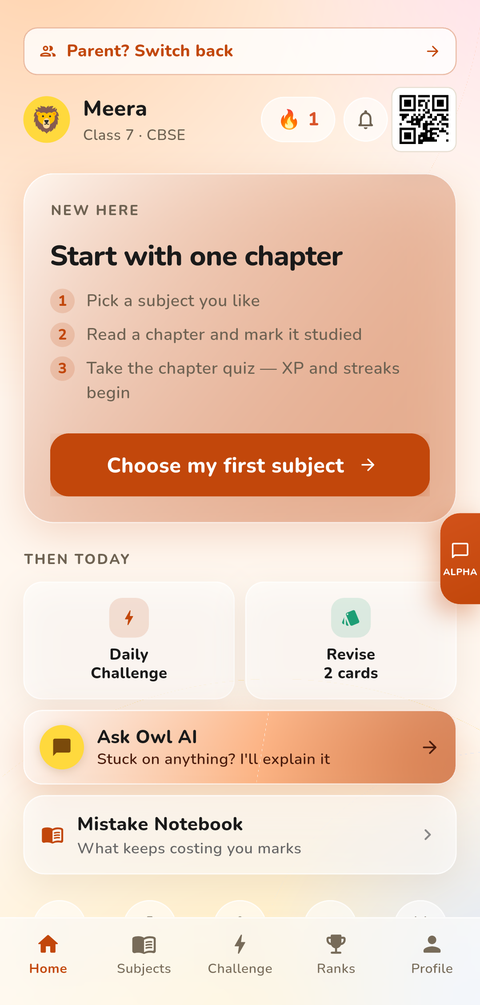
Notes and practice for every subject in their own class, chapter by chapter, following the NCERT books they already have at school.
Five questions across their subjects, waiting when they open the app. Small enough to finish before school, and it keeps the streak alive.
Stuck on a sum at nine at night? Ask in their own words, or snap a photo of the question, and get it explained a step at a time — not just answered.
Head-to-head on any chapter with friends a parent has approved. Same class, same syllabus — revision that does not feel like revision.
A streak for turning up, XP for the work, badges for the milestones, and a weekly leaderboard against their own classmates rather than the whole internet.
A timer for a proper sitting of homework, with the day's minutes counted so the effort shows up even when the marks have not caught up yet.
Real screens from the app, not illustrations.
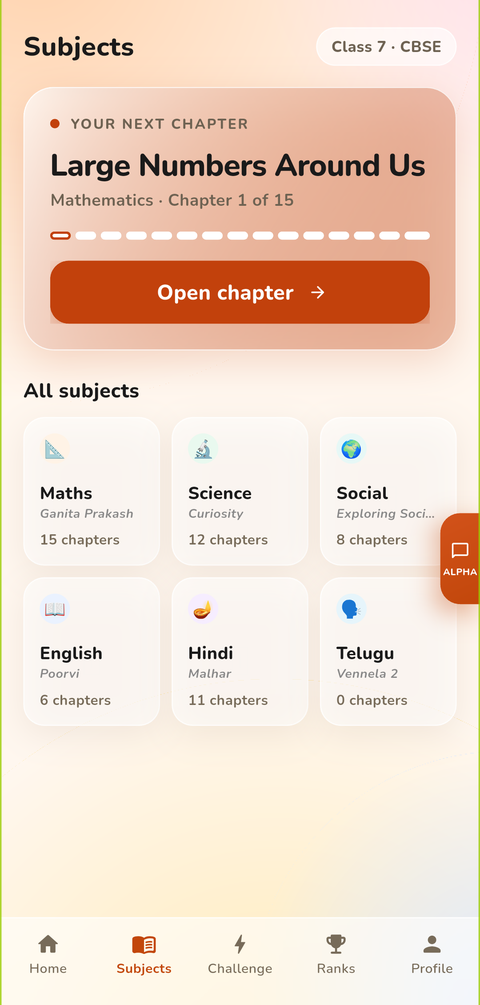
Every subject in their class, with how far through each one they are.

Notes to read and questions to try, in the order the book takes them.

Questions on the chapter they just read, with the answer explained after.

Typed, spoken or photographed — explained a step at a time.
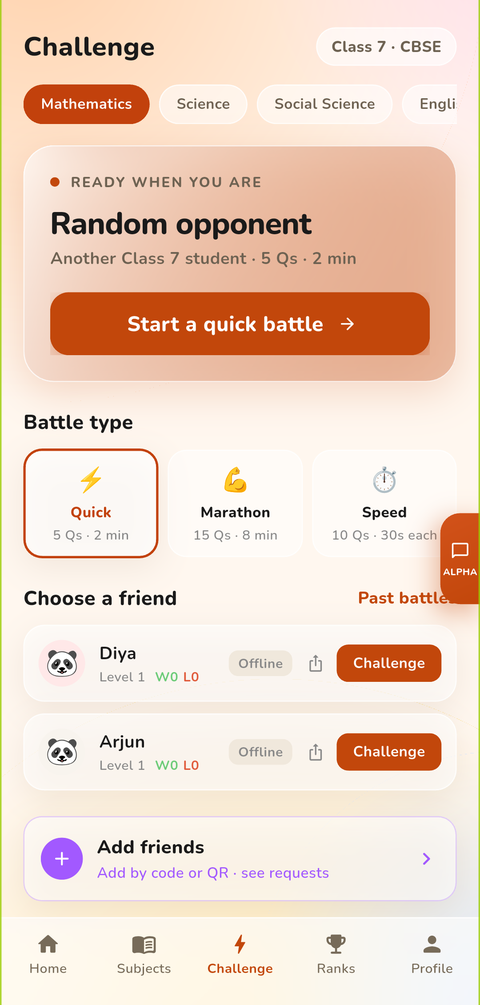
Head-to-head with an approved friend on a chapter they both study.

Badges for the milestones, and XP that adds up into levels.

Their own class, weekly and monthly — not the whole internet.

Added by a code and approved by a parent before anyone can chat.

A timer for real homework, with the minutes counted towards the week.
No ads, no external links, no strangers. A child can only message friends their parent has approved, every message is screened, and they are told plainly that chats are moderated — we protect, we don't spy. Nothing here is switched on by a parent hunting through settings; it is how the app works for everyone, on every plan.