Complete transparency into study progress, quiz scores, chat activity, and areas where your child needs help.
Works in any browser: laptop, tablet or phone. Nothing to install.

See completion percentages for every subject and chapter. Know exactly where your child is in the syllabus.
Every quiz result with detailed breakdown — daily challenges, practice tests, and friend battle outcomes.
Only friends you approve can chat, and every message is screened for unsafe content — free for everyone. You are alerted the moment anything serious comes up, and you can remove a friend or switch chat off in one tap.
Insights show which topics your child is strong on and which need extra attention.
A plan for a weak chapter, and marked work your child can learn from.
When the 360° report shows a weak chapter, tap Make a plan. Ask Owl AI drafts short steps from things already in StreakOwl, and you edit and approve them before anything starts.
Every figure is counted from your child's own activity; the owl writes the words, never the numbers. Up to 3 plans at a time for each child. Plans come with the 360° report on Pro, Family and School, and a plan's test uses one of your monthly unit tests. In the web app, open Plans in the sidebar.
Illustration with a sample chapter.
After a unit test, the ones to fix come first, with your child's answer beside the right one and the owl's explanation of why it's right. Practice rounds now show their answer on every question too.
Before a test from a plan, the owl explains the topic first. Another way gives a different everyday example, up to three. It never holds up the test, and you never see how many tries it took. Each new explanation uses one Ask Owl AI question from the day's allowance.
Longer chapter notes now open with one lead line and short bullets. Nothing is rewritten: the same words, in the same order, in Hindi, Sanskrit and Telugu too. And Detailed now explains the exact note your child tapped.
Also coming: verified human tutors, separate from Ask Owl AI. How it will work →
At web.streakowl.app, with email, Google or your mobile number. Free to start.
Pick their class and the NCERT books their school uses.
Ten minutes on the laptop. You see how it went on your parent dashboard.
No app to install · No ads · CBSE Classes 4–10
Real screens from the parent dashboard, not illustrations.
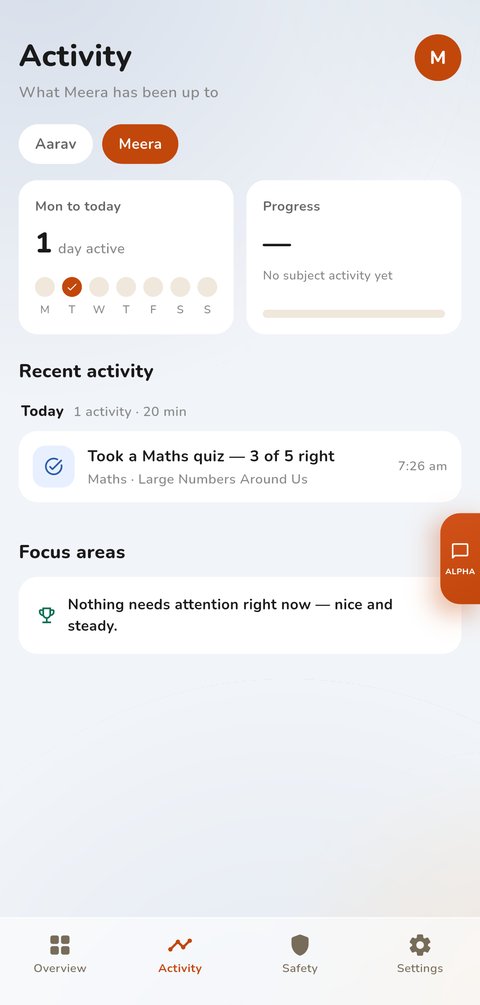
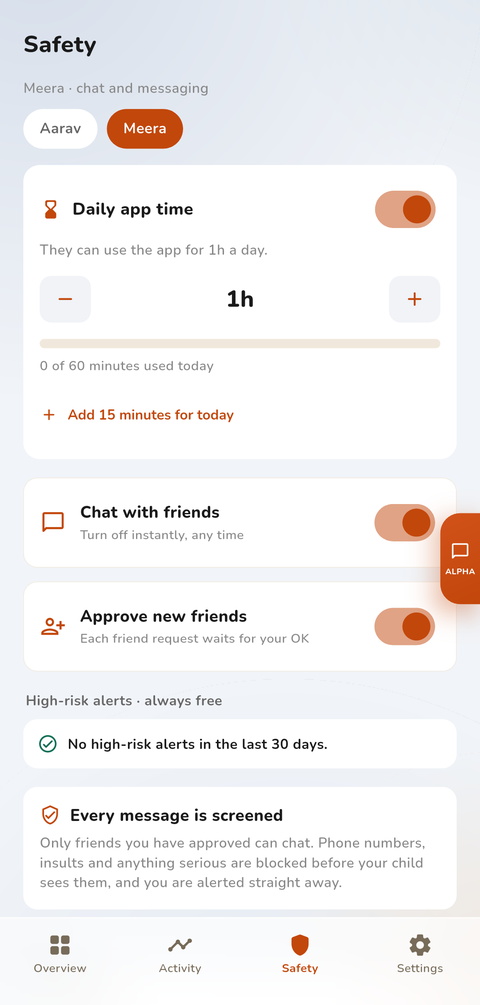
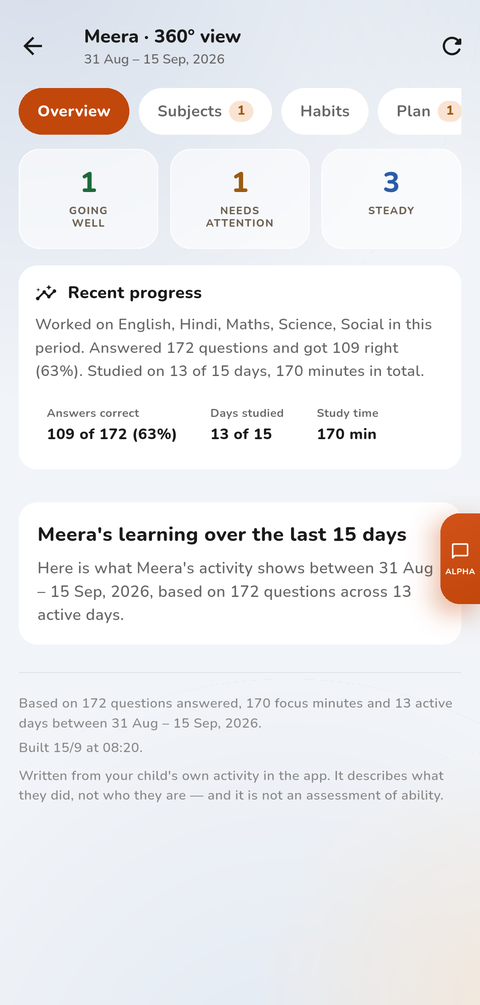
StreakOwl is built with child safety at its core. Students can only message parent-approved friends, every chat is screened, and if anything serious is ever detected you're alerted immediately — free, on every plan, always. No ads, no external links, no strangers. Kids always know chats are moderated: we protect, we don't spy. Your child learns in a walled garden you control.